cuan16Android & iOS App
We offer cuan16 across Android and iOS devices to bring live-dealer tables, slot games, football markets, and esports betting directly to your mobile device. Access remains available only where applicable law permits in your jurisdiction. Our mobile-first approach lets you move between account setup, deposit, and your first session without switching between websites and apps.

- LoginOTP Verification
- DownloadAPK
- Update
Mobile access via cuan16 works across three paths: a native Android APK download, iOS access through a mobile browser, or our responsive web application. Each path delivers the same live-studio experience, game selection, and payment support. Data use is optimized for low-bandwidth sessions, and offline caching means you can review your account history or game rules even without connectivity.
We built our app layer around the flows that matter most to players in Jakarta, Surabaya, Bandung, and across the region. Your first deposit through e-wallet, mobile banking, local payment, or online payment proceeds the same way on mobile as on desktop. Account verification, withdrawal requests, and live-chat support stay available 24 hours a day regardless of which device or entry point you choose.
Getting started with cuan16 on mobile
Installation walk-through
- Download the cuan16 APK file via your Android device or follow the iOS browser shortcut from this page; web-app access requires no installation.
- On Android, confirm unknown sources in your device settings, then open the downloaded file to install; iOS users add the web app to home screen from Safari.
- Open cuan16, create your account with email, username, and a secure password, then upload KYC documents (national ID or passport).
- Complete account verification within 24 hours, add a deposit method (DANA, e-wallet, mobile banking, or bank transfer), and place your first bet or join a live-dealer table.
App versus browser experience
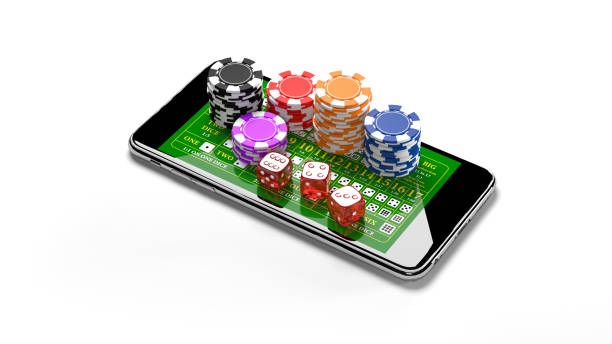
Our native Android app and iOS web app deliver identical game catalogs, payment options, and support channels. The Android APK holds an offline cache of game rules, past transactions, and FAQ content, which speeds up navigation when your connection slows. Push notifications on Android alert you to live-dealer seat availability or esports market updates. Both app and browser paths refresh automatically when we deploy updates to game libraries or live-studio feeds. Bandwidth use on cuan16 is reduced through adaptive streaming on live tables, so you can watch multi-camera blackjack or baccarat studios even on 3G connections.
Device compatibility
Our Android app runs on devices with Android 7.0 and later. iOS users need iOS 12.0 or higher to run the web app from Safari. Desktop browsers—Chrome, Firefox, Safari, Edge—access the same responsive interface. We test regularly on devices from budget-range phones to flagship models, ensuring that blackjack, roulette, and live-dealer games load within 3 seconds on standard connections. Older devices (Android 5–6, iOS 10–11) can still reach cuan16 through our mobile web experience, though some live-studio features may degrade.
Android installation requires unknown sources permission
On your Android device, navigate to Settings → Apps → Special app access → Install unknown apps, then select your browser to permit APK installation. This is a standard Android security step.
Common installation issues and solutions
If the APK file does not open on Android, first verify your device allows installation from unknown sources (see the note above). Certificate trust errors can occur if your device clock is significantly out of sync; update your date and time, then retry. Storage space must exceed 50 MB free; clear your download folder or temporary files if needed. On iOS, if the web-app shortcut does not save to home screen, ensure you tap "Share" in Safari, then "Add to Home Screen." If the app crashes on launch, clear your Safari cache (Settings → Safari → Clear History and Website Data) and reload the cuan16 URL. Persistent issues can be resolved through our multilingual support team via live chat or email within 4 hours.

Data, permissions, and account security
When you install cuan16 on Android, the app requests permissions for device storage (to cache game rules and transaction history) and network access (to stream live-dealer tables and fetch market data). iOS does not require explicit app permissions because the web app runs inside Safari. All account data—username, password, KYC documents, deposit method, and transaction history—is transmitted over HTTPS encryption. We do not store payment card numbers; instead, we use tokenized payment links through local payment, online payment, and e-wallet gateways. Two-factor authentication via email is available in your account settings. If you suspect unauthorized access, change your password immediately through the password-reset page, then contact our support team to review login history and flag suspicious sessions. Session timeout is set to subject to verification of inactivity on all platforms; logging out manually removes cached credentials from your device.
Summary
cuan16 on Android and iOS removes friction from account management, game discovery, and live-table play. Whether you use Idul Fitri breaks to catch Liga 1 matches, stream baccarat studios during your commute to the office, or check your withdrawal status before market hours, our app and web paths remain synchronized. Your account, your payment method, and your session state follow you across devices. Installation takes under five minutes; verification typically completes within 24 hours. From there, live chat in Indonesian and English, account recovery, and withdrawal support remain available around the clock. Services operate only in jurisdictions where local law permits.